Projects / MooCam
Coming soon to the Mac App StoreMooCam
AI privacy for your camera. Nothing leaves your Mac.
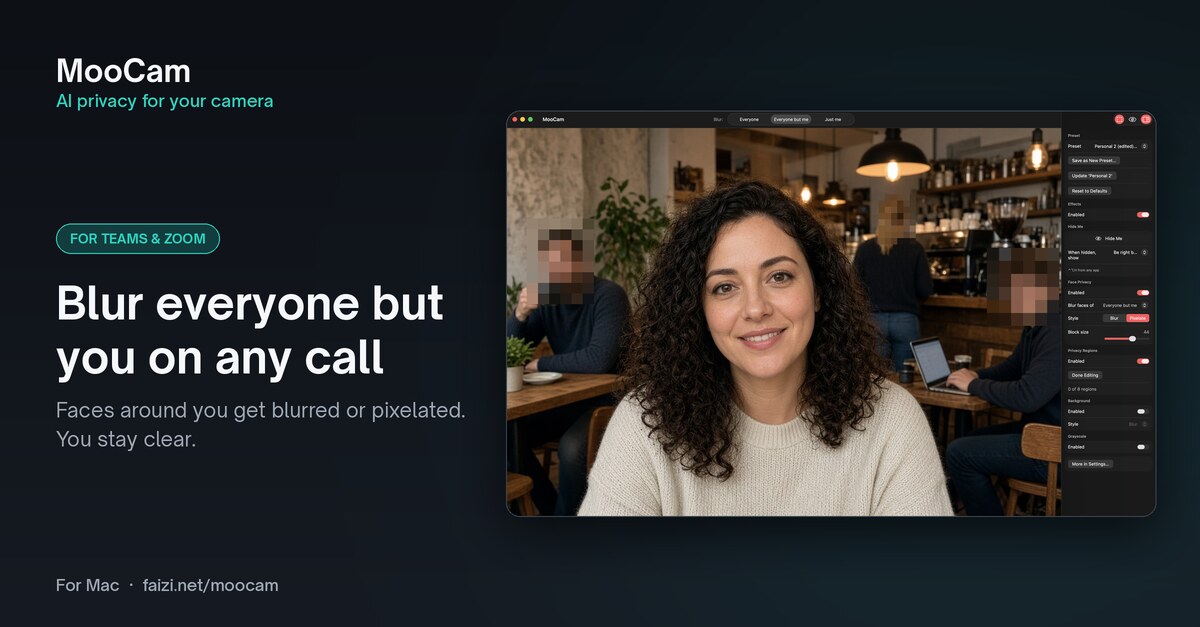
The privacy camera for Mac. MooCam blurs the faces of the people around you, keeps you clear, and does it all on your Mac before your video reaches Zoom, Google Meet, Teams, FaceTime or OBS. One price, no subscription, no watermark.
In action
See MooCam on a call and on a stream
Swipe, use the arrows, or let it play.
How it works
A privacy filter for your camera
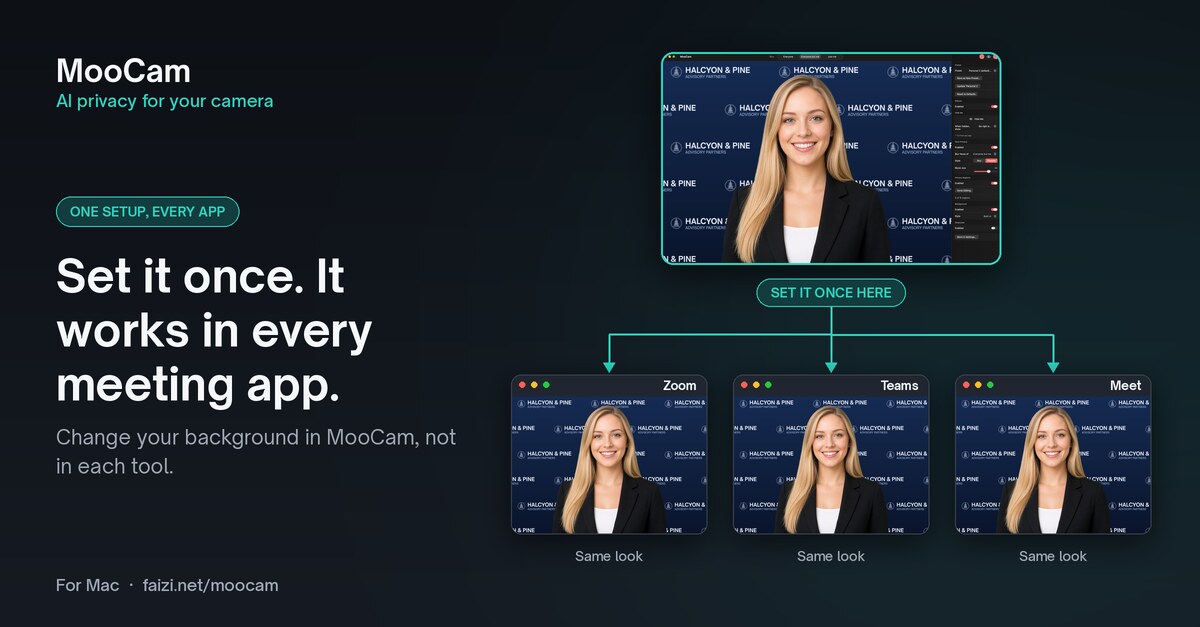
MooCam adds a virtual camera to your Mac. Your filters follow you into every call and stream.
Install and approve
Open MooCam and install the MooCam camera from the Setup Guide. You approve it once in System Settings.
Pick “MooCam” as your camera
In Zoom, Meet, Teams, FaceTime, OBS or any app that lets you choose a camera.
Choose your filters
Blur faces, blur the background, or hide yourself. Changes show up live, and MooCam does the work on your Mac.
Free
Everything you need to start
Free forever, with no watermark.
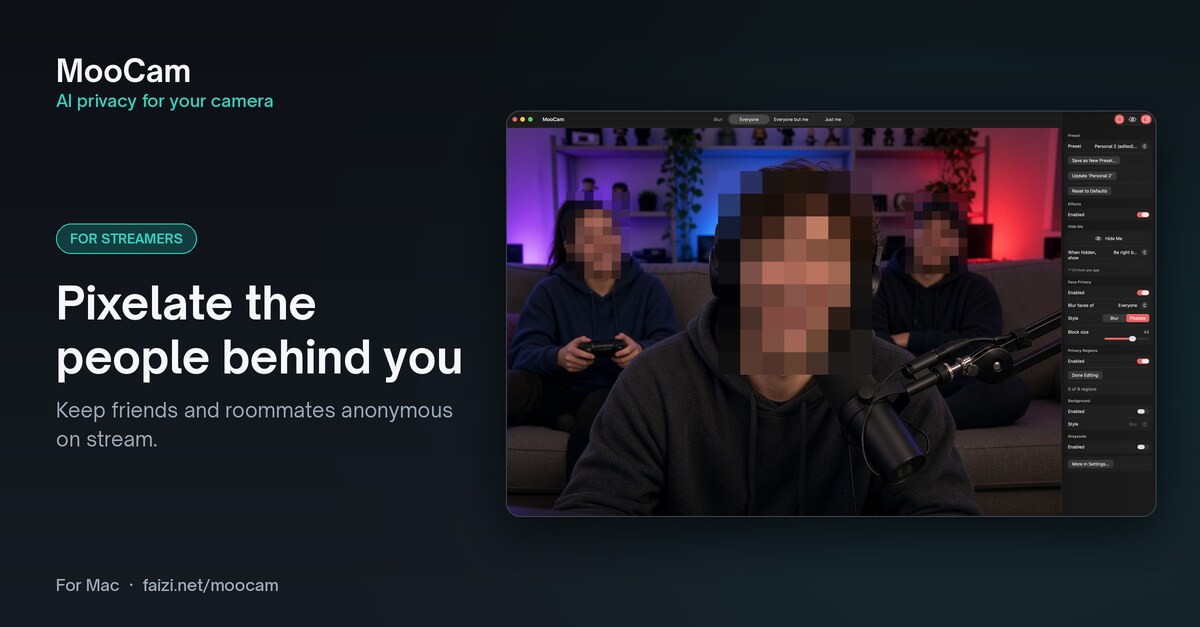
Blur or pixelate faces
Hide every face in the picture with a smooth blur or a chunky pixel effect. Adjust the strength, block size and coverage.
Background blur
Soften what’s behind you so the focus stays on you, not your room.
Grayscale
Turn your video black and white with one switch.
A real camera in every app
MooCam shows up as a camera called “MooCam” in Zoom, Google Meet, Microsoft Teams, FaceTime, OBS and other Mac apps, at 1920×1080.
MooCam Pro
Privacy that keeps up with you
Try every Pro feature free for 7 days.
Everyone but me
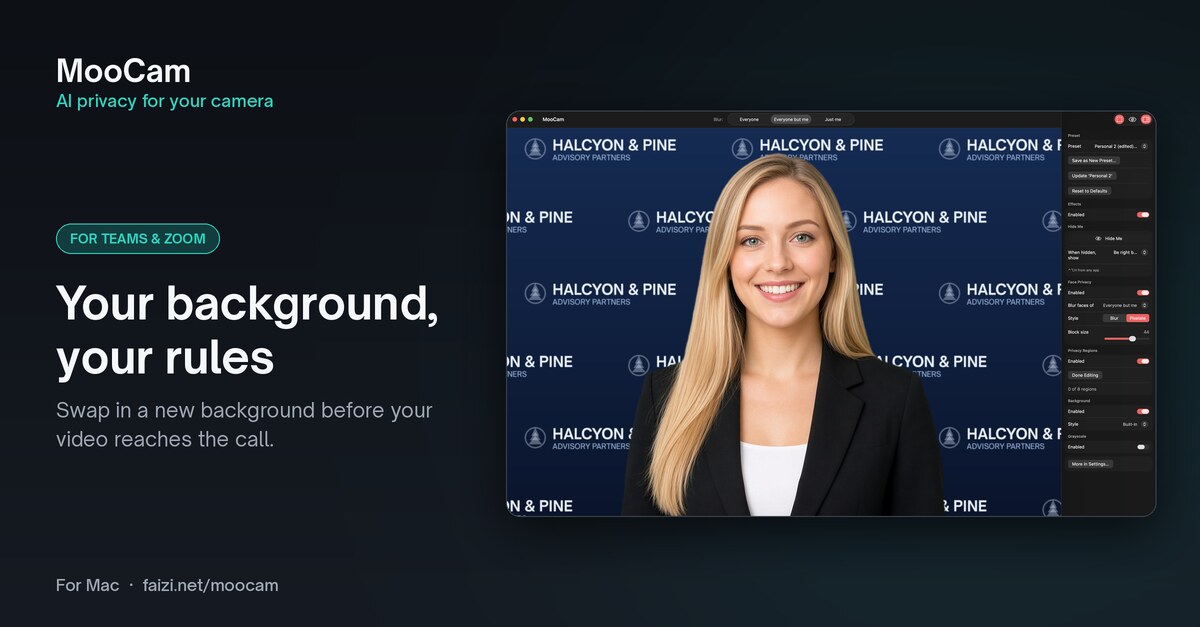
You stay clear while everyone else in the frame is blurred, automatically. Or choose Just me to blur only your own face.
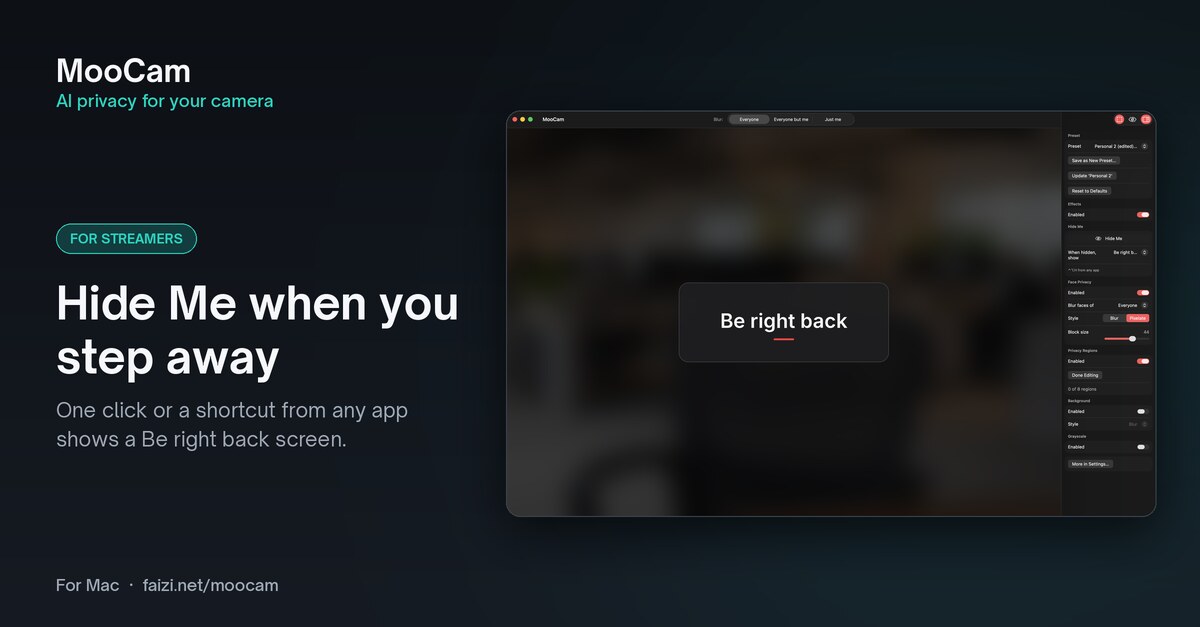
Hide Me
Press ⌃⌥H to hide instantly. Blur everything, freeze the picture, or show a Be right back card with your own message, colors and image.
Auto-hide
Hide automatically when you leave the frame or when someone else appears, and come back when you’re back and alone.
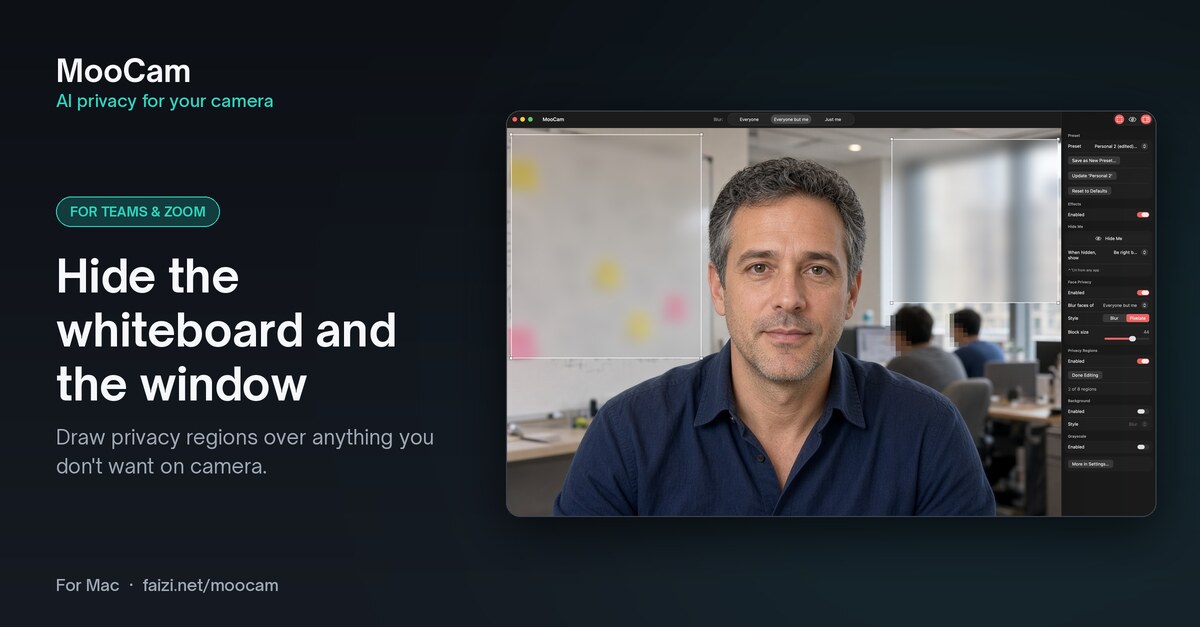
Privacy Regions
Draw up to 8 boxes to cover a whiteboard, family photos or a second screen.
Background replacement
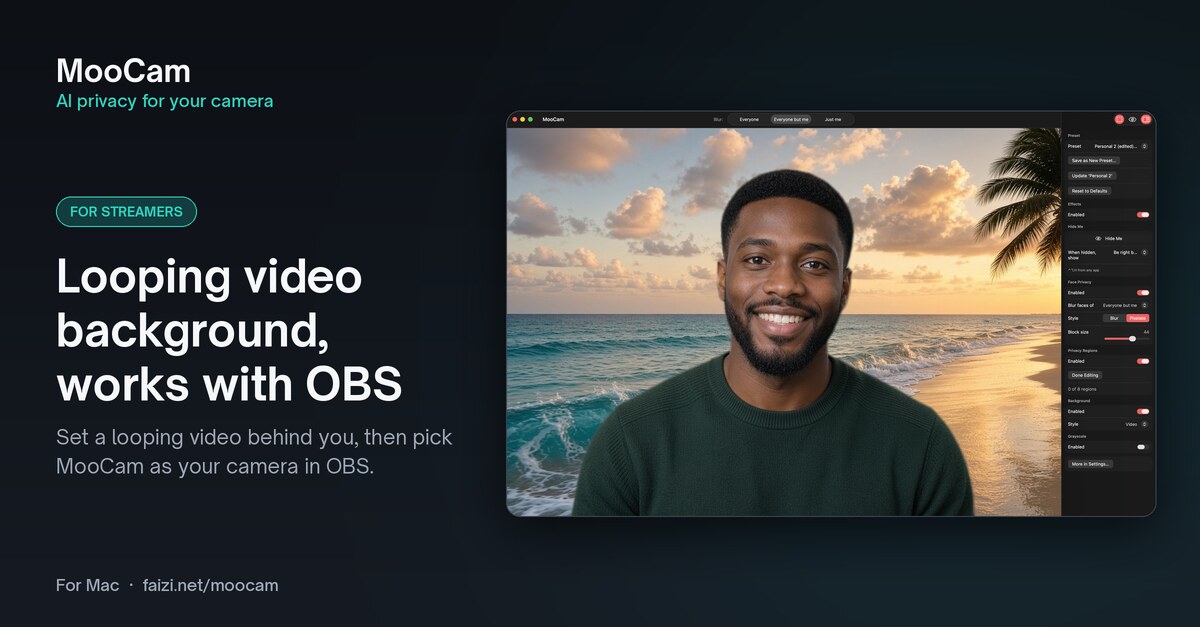
A solid color, four built-in gradients (Studio, Political Red, Pasture and Night), your own photo, or a looping video.
Presets
Save setups like “Work call” or “Stream” and switch between them with ⌃⌥1–9.
Compare
Free vs Pro
| Feature | Free | Pro |
|---|---|---|
| Face privacy | ||
| Blur or pixelate everyone’s faceStrength, block size and coverage | ✓ | ✓ |
| Everyone but meYou stay clear, everyone else is blurred | — | ✓ |
| Just meBlur only your own face | — | ✓ |
| Background & look | ||
| Background blur | ✓ | ✓ |
| Grayscale | ✓ | ✓ |
| Background replacementColor, 4 built-in gradients, your own photo or a looping video | — | ✓ |
| Hiding | ||
| Hide Me with ⌃⌥HBlur everything, freeze frame, or a Be right back card | — | ✓ |
| Auto-hideWhen you leave, or when someone else appears | — | ✓ |
| Privacy RegionsUp to 8 boxes over things you want covered | — | ✓ |
| Workflow | ||
| Presets with ⌃⌥1–9 hotkeysSave, rename, reorder and switch setups | — | ✓ |
| Always included | ||
| Works in Zoom, Meet, Teams, FaceTime, OBS and more | ✓ | ✓ |
| No watermark | ✓ | ✓ |
| Processed on your Mac, no account | ✓ | ✓ |
Pricing
One price. No subscription.
MooCam
Free
- Blur or pixelate everyone’s face
- Background blur and grayscale
- No watermark and no time limit
MooCam Pro
$9.99 one-time, in-app
- Every Pro feature, yours to keep
- 7-day free trial, with no automatic charge
- Restore Purchases on your other Macs
US price. Apple sets the price in other countries and regions. Purchases are made through the Mac App Store.
Our privacy promise
Private by design
Nothing leaves your Mac
Every frame is processed on your Mac with Apple’s Vision and Metal frameworks. MooCam doesn’t record, save or upload your video.
No account, no tracking
No sign-up, no ads and no analytics. Open it and go.
Detection, not recognition
MooCam finds where faces are, never who they are. If it loses track of you, it blurs rather than showing faces unfiltered.
Works in any launch order
Start MooCam before or after Zoom or OBS. The camera is there either way.
Requirements
What you need
- macOS 14 Sonoma or later
- A built-in or external camera
- Any Mac app that lets you pick a camera: Zoom, Google Meet, Microsoft Teams, FaceTime, OBS and more
- A one-time approval of the MooCam camera extension in System Settings
- Keep MooCam open while you’re on camera, since it applies your filters
Is MooCam a subscription?
No. MooCam is a free download, and MooCam Pro is a one-time in-app purchase. There’s no subscription and no account.
What happens when the 7-day trial ends?
Nothing is charged, because the trial is not a subscription. MooCam goes back to the free features and keeps all your settings, regions and presets. If you buy Pro later, everything comes back exactly as you left it.
Does the free version add a watermark?
No. The free features have no watermark and no time limit.
Which apps does it work with?
Any Mac app that lets you pick a camera, including Zoom, Google Meet, Microsoft Teams, FaceTime and OBS. Choose MooCam as the camera in that app.
Does MooCam recognize who I am?
No. It uses Apple’s on-device face detection to find where faces are in each frame. It doesn’t identify anyone, and it doesn’t save face data.
Can I use Pro on another Mac?
Yes. Sign in with the same Apple Account and choose Restore Purchases in MooCam’s Settings.